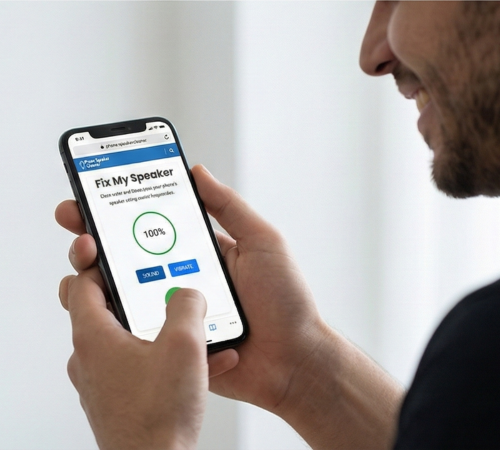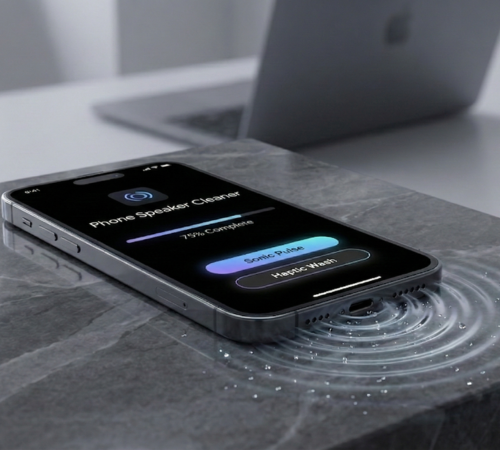
Phone Speaker Cleaner
Eject water and dust from your phone's speaker using sound frequencies.
Phone Speaker Cleaner Process
Maximize Volume & Locate Speaker
Ensure your mobile's volume is set to 100%. Identify which speaker(s) are muffled (bottom, earpiece, etc.).
Run Our phone speaker cleaner Tool
Go to our Speaker Cleaner tool page and press 'Start'. The sound wave will pulse for almost 60 seconds.
Air Dry & Test Sound
Wait 5 minutes for any remaining moisture to dissipate naturally. Test your speaker by playing music. If still muffled, repeat the process.
Dislodge Stubborn Debris
Hold the phone upright with the speaker facing down. Gently tap the back of the mobile against your palm. Do not use force.
Position Your Phone Correctly
Place phone speaker-down on a soft, dry surface (towel) to utilize gravity. For the earpiece, hold the mobile vertically, earpiece facing down.
Check for Residue
Ensure no putty or adhesive residue remains on the mobile. This is a targeted approach for speaker cleaner when dealing with stubborn lint.
How to Use Phone Speaker Cleaner?
Use a phone speaker cleaner by playing the cleaning sound or frequency at full volume. Place your mobile speaker facing down, keep it steady, and let the sound vibrate to push out dust or water. Repeat if needed, then wipe the speaker grill gently with a dry cloth for best results.
💧 How to Get Water Out of Your Phone Speaker?
Set Volume To Max
Make sure your volume is all the way up to 100%. Turn off silent mode. The tool needs to be loud to work properly for a deep speaker clean.
Face The Speaker Down
Lay your mobile speaker-side down on a dry towel. This lets gravity help the water fall out so your sound stays clear.
Start The Phone Speaker Cleaner
Press the 'Start' button on our tool. It will play a pulsing sound for 60 to 90 seconds to shake the water out.
Give It a Gentle Tap
While the sound is playing, lightly tap the back of your mobile against your hand. This helps loosen stubborn water drops.
Wait and Listen
Let the mobile sit for 5 minutes to dry. Then, play some music to see if the sound is clear and loud again and your mobile sounds new.
Repeat If Needed
If the sound is still fuzzy or quiet, run the tool 2 or 3 more times. Sometimes water gets stuck deep inside to ensure all moisture leaves.
What is Phone Speaker Cleaner?
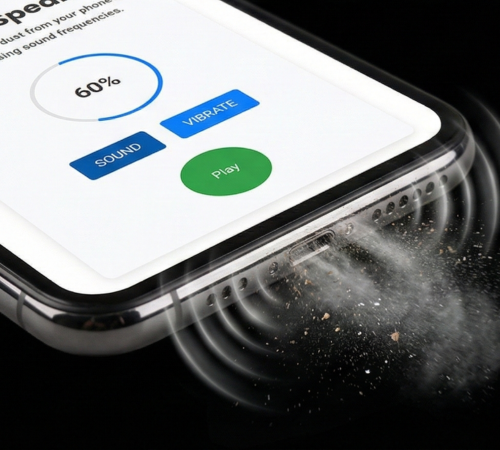
A phone speaker cleaner is any safe trick used to remove trapped gunk or moisture from your speaker grille. This quickly solves muffled sound and low volume issues caused by blockages.
- DIY Cleaning: Use simple methods like brushes or putty to remove debris from your speaker grille.
- Water Eject: Use a special app’s sound frequency to vibrate out trapped water.
- Safety Priority: Always use techniques that protect your mobile’s internal speaker parts.
- Universal Use: These tips apply whether you have an iPhone or an Android.
🧹 How to Clean Dust Out of Your Phone Speaker?
TURN VOLUME TO FULL
Make sure your volume is at 100%. Loud sounds make the speaker shake hard, which helps loosen dry dust and lint.
POINT SPEAKER DOWN
Hold your mobile with the speaker facing the floor. This way, gravity helps the dust fall out instead of getting stuck inside.
PLAY The Speaker Cleaner Tool
Press 'Start' on the tool. It plays a special vibrating sound to bounce the dust out of the tiny holes.
GIVE IT A LIGHT TAP
While the sound is playing, lightly tap the back of your mobile. This helps shake off dust that is sticking to the speaker mesh.
REPEAT THE STEPS
If your device is still quiet, run the tool 2 or 3 more times. Sometimes it takes a few tries to clear out thick layers of dust.
Repeat If Needed
If the sound is still fuzzy or quiet, run the tool 2 or 3 more times. Sometimes water gets stuck deep inside to ensure all moisture leaves.

Benefits of Using a Phone Speaker Cleaner?
- Saves You Money: Fix your audio issues for free instead of paying for expensive repairs or new parts.
- Prevent Hardware Damage: Unlike needles or brushes, this tool uses sound waves that won’t scratch or poke your device.
- Restores Original Volume: Deep cleaning helps your speakers sound as loud and clear.
- Fast and Convenient: You can run a full cleaning cycle anywhere, at any time, in just about 60 seconds.
- Extends Device Life: Removing dust and moisture regularly prevents long-term damage to your internal speaker components.
OUR PHONE SPEAKER CLEANER ACHIEVEMENTS
See the impact we've made by helping thousands of people restore their audio and save their devices from water damage.
5000
+
SPEAKERS CLEANED
4000
+
WATER EJECTIONS
100
%
USER SATISFACTION
60
sec
AVERAGE FIX TIME
Why Choose Our Phone Speaker Cleaner?
Our Phone Speaker Cleaner uses advanced sound technology to fix audio issues safely. It targets the root cause of muffled sound by using precise frequencies to remove blockages without risky physical tools or expensive repairs.
Why Choose Phone Speaker Cleaner?
- Safe Technology: No sharp tools needed.
- Quick Ejection: Removes water in seconds.
- Deep Cleaning: Shakes out hidden dust.
- Better Sound: Restores clear audio instantly.
Fix Your Devices with Phone Speaker Cleaner?
Phone Speaker Dust Remover
Use the phone speaker dust remover to safely eject debris and restore crystal-clear sound.
Laptop Speaker Cleaner Tool
Restore audio with Laptop Speaker Cleaner to safely clear liquid and dirt from your speakers.
iPhone Speaker Cleaner Tool
Fix muffled audio instantly with iPhone Speaker Cleaner, safely ejecting debris from your speakers.
Phone Speaker Water Remover
Use the Phone Speaker Water Remover to instantly eject liquid from your mobile speakers and restore clear audio.
Laptop Speaker Dust Remover
Restore low volume with the Laptop Speaker Dust Remover, the easiest way to clean your laptop speakers in seconds.
Tablet Speaker Cleaner Tool
Fix muffled audio with Tablet Speaker Cleaner: use vibrations to push out liquid and debris for clear sound.
Features of Our Phone Speaker Cleaner?
Automatic Water Ejection
Our Speaker Cleaner Tool uses powerful low-frequency sound waves to push out water droplets trapped inside your device instantly.
Deep Dust Vibration
This feature creates high-pitched vibrations that shake loose stubborn pocket lint and dry dirt from the tiny holes of your speaker.
Universal Device Support
Whether you have an iPhone, Android, or even a laptop, this tool is designed to work perfectly on any speaker type.
100% Safe Cleaning
Fix your audio issues safely using only sound waves, so you never have to worry about damaging delicate parts with needles or brushes.
Our Latest News
Read from Our Blog
Frequently Asked Questions (FAQs)
How to remove dust from phone speaker?
You can remove dust from your mobile speaker by using our tool, a digital mobile speaker dust remover that uses sound vibration to clean speaker dust safely.
Is it safe to use Phone Speaker Cleaner to remove dust from speaker?
Yes, it is safe because it works digitally. It functions as a speaker dust cleaner without liquids, sharp tools, or physical contact.
Can Phone Speaker Cleaner help improve the sound quality of old or dusty speakers?
Yes, it can improve sound quality by clearing blocked dust. It works well as a mobile speaker dust cleaner for old or dusty speakers.
What are the signs that my speaker is damaged beyond repair?
If sound stays distorted or silent even after using Speaker Cleaner Tool to clean mobile speaker dust, the speaker may be physically damaged.
Is Phone Speaker Cleaner free to use?
Yes, this tool is free to use and works as a mobile speaker dust cleaner without downloads or extra hardware.
Does Phone Speaker Cleaner clean dust from laptop or computer speakers too?
Phone Speaker Cleaner is mainly designed for mobile devices, but it may help loosen dust in laptop or computer speakers with similar sound output.
Are mobile speaker cleaner dust tools like Phone Speaker Cleaner compatible with all devices?
Yes, this tool works on most Android and iPhone devices, making it a reliable mobile speaker dust cleaner.
What should I do if my speaker still has dust after using Phone Speaker Cleaner?
You can repeat the process or gently clean the outer grille. This helps to remove mobile speaker dust more effectively.
What safety steps should I follow before using Fix My Speaker on my device?
Before using Fix My Speaker, make sure your device volume is set to a normal level and the speaker area is clear. This helps the speaker dust remover work properly and safely.
Does using Fix My Speaker impact my phone’s warranty?
No, using Fix My Speaker does not affect your device warranty. It works digitally as a speaker dust cleaner and does not involve opening or modifying the device.
Do you want to Fix your Speaker ?