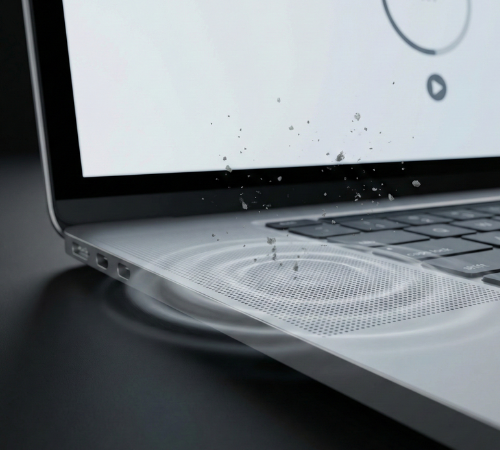
To use the MacBook Speaker Cleaner, simply open the tool on your browser and ensure your Mac volume is set to a high level for effective results. Click the play or start button to activate the optimized sound frequencies designed to vibrate the speaker chambers. Let the sound run for a few minutes without interruption, allowing it to loosen and push out trapped dust particles. Once completed, stop the sound and test your Mac’s speakers to experience clearer and improved sound quality.
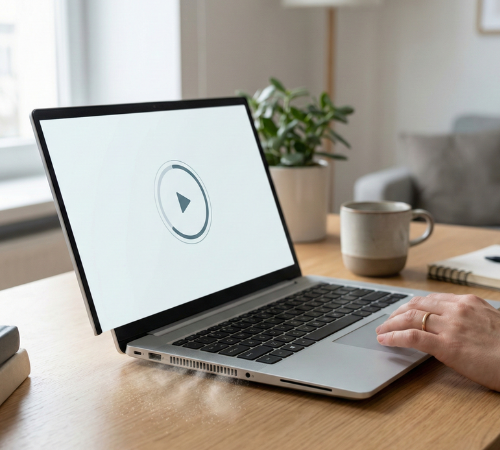
MacBook Speaker Cleaner
Eject water and dust from your phone's speaker using sound frequencies.
0%
MacBook Speaker Cleaning Process
1
Open MacBook Speaker Cleaner
Open our speaker cleaning tool to start the audio based cleaning process instantly.
2
Play Cleaning Sound
The tool emits specially tuned sound frequencies to remove dust inside MacBook speakers.
3
Tilt Mac Speakers Downword
Sound vibrations help shake out trapped dust particles from internal speaker grills.
6
Check Sound Clarity
Test your MacBook speakers after cleaning to confirm clearer and louder audio output.
💨 How to Remove Dust from Your MacBook Speaker
Open Our Speaker Cleaner Tool
Check the speaker area for visible dust or debris before starting the cleaning process.
Launch MacBook Speaker Cleaner
Open the online tool to initiate the audio-based cleaning process safely.
Play Cleaning Frequencies
The tool emits specific sound vibrations that loosen dust inside the speaker grills.
Run the Full Cleaning Cycle
Allow the cleaner to complete its cycle for maximum dust removal efficiency.
Repeat if Necessary
For stubborn dust, run the cleaning process multiple times for better results.
Test Sound Quality
After cleaning, play audio to ensure your MacBook speakers produce clear and crisp sound.
What is Speaker Cleaner?
MacBook Speaker Cleaner is a safe and easy online tool that uses sound frequencies to clear dust from MacBook speakers, restoring crisp, clear, and improved audio quality instantly.
Why You Need a MacBook Speaker Cleaning Tool
Dust, lint and tiny debris can get trapped inside your MacBook speaker grills over time. This buildup can muffle sound, reduce volume and make audio unclear. A Mac Book speaker cleaning tool helps safely remove this hidden dust using sound vibrations, improving audio clarity without opening your device. It’s a quick and safe way to restore crisp sound and maintain your speaker performance.
Steps to Remove Water from Mac Speakers
Detect Water in Your MacBook Speaker
Check if there’s water or moisture inside your MacBook speaker before starting the cleaning process.
Open Our MacBook Water Remover Tool
Launch the online tool to begin safely removing water from your speakers.
Play High-Frequency Sound
The tool emits sound vibrations that push trapped water out of the speaker chambers.
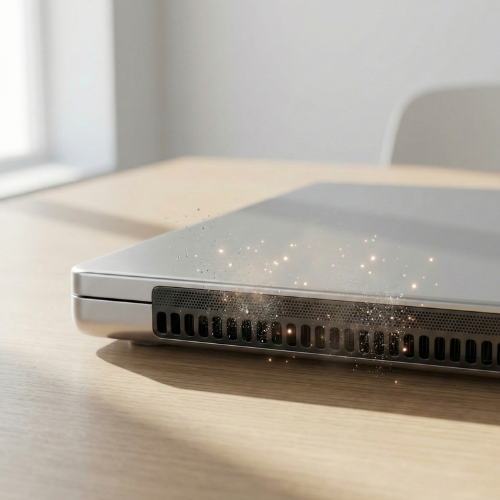
OUR PHONE SPEAKER CLEANER ACHIEVEMENTS
See the impact we've made by helping thousands of people restore their audio and save their devices from water damage.
5000
+
SPEAKERS CLEANED
4000
+
WATER EJECTIONS
100
%
USER SATISFACTION
60
sec
AVERAGE FIX TIME
Why Choose Our Laptop Speaker Dust Cleaner?
Our MacBook Speaker Dust Cleaner safely removes dust and moisture using sound frequencies, restoring clear, crisp audio instantly. It works for all Mac models, requires no extra tools, and keeps your speakers performing at their best.
Why Choose MacBook Speaker Cleaner?
- Safe Cleaning Method: No sharp tools or liquids are needed; clean your MacBook speakers safely without opening the device or causing damage.
- Digital Sound Process: Effortlessly removes dust using high-frequency sound vibrations from the Speaker Cleaning tool.
- Deep Dust Removal: Effectively clears hidden particles trapped deep inside the speaker grills through the audio frequency cleaning cycle.
- Clear Audio Quality: Instantly restores the loud, crisp, and clear sound you expect from your MacBook speakers.
Benefits of using our Laptop Speaker Cleaner?
Safe & Free Cleaning
Cleans MacBook speakers using sound frequencies, with no liquids, brushes, or physical tools required.
Restores Clear Sound Quality
Removes dust and moisture that cause muffled or distorted MacBook speaker audio.
Deep Internal Dust Removal
Sound vibrations help push out hidden dust trapped inside the speaker grills and chambers.
Instant Online Access
Works directly in your browser with no downloads, installations, or technical setup.
Compatible with All MacBook Models
Designed to work efficiently across all Mac Book variants and speaker designs.
Reusable Anytime
Use the Mac Speaker Dust Remover whenever sound quality drops or dust builds up again.
Features of Our MacBook Speaker Cleaner?
MacBook Speaker Cleaning Sound
Uses optimized sound vibrations to fix MacBook speakers sound without tools, liquids, or physical contact.
Safe for Internal Parts
Works as a Mac speaker cleaner that protects delicate internal speaker parts while removing dust and moisture.
Quick Audio Fix Tool
Clears MacBook speaker dust and water within minutes, restoring clear and crisp sound.
Instant Online Access
Functions as an online Mac Book Speaker Cleaner with no downloads, apps, or extra setup required.
Supports All MacBook Models
Compatible with every MacBook variant, ensuring safe and effective speaker cleaning.
Frequently Asked Questions (FAQs)
What is a MacBook Speaker Cleaner?
A Mac Speaker Dust Remover is an online tool that uses sound frequencies to remove dust and moisture from MacBook speakers safely.
How does the MacBook Speaker Cleaner work?
It plays optimized audio vibrations that help push out trapped dust and water from inside the speaker chambers.
Is the MacBook Speaker Cleaner safe to use?
Yes, it is completely safe as it does not use liquids, sharp tools, or physical contact with the speakers.
Do I need to download or install anything?
No, it works directly in your browser with instant online access.
Can it remove water from MacBook speakers?
Yes, the Macbook water remover tool helps push out trapped water using high-frequency sound vibrations.
How long should I run the cleaning sound?
Running the sound for a few minutes is usually sufficient; you can repeat it if needed.
Will this tool work on all MacBook models?
Yes, it is compatible with all MacBook models and speaker designs.
Still struggling with your laptop audio quality?